Inspect the Assembly
Browse a tree-preserving table with thumbnails, quantities, descriptions, materials, mass, volume, and revisions.
 VisuBOM
Onshape BOM workflow
Review, clean up, export, and sync assembly bills of materials directly from an Onshape workspace.
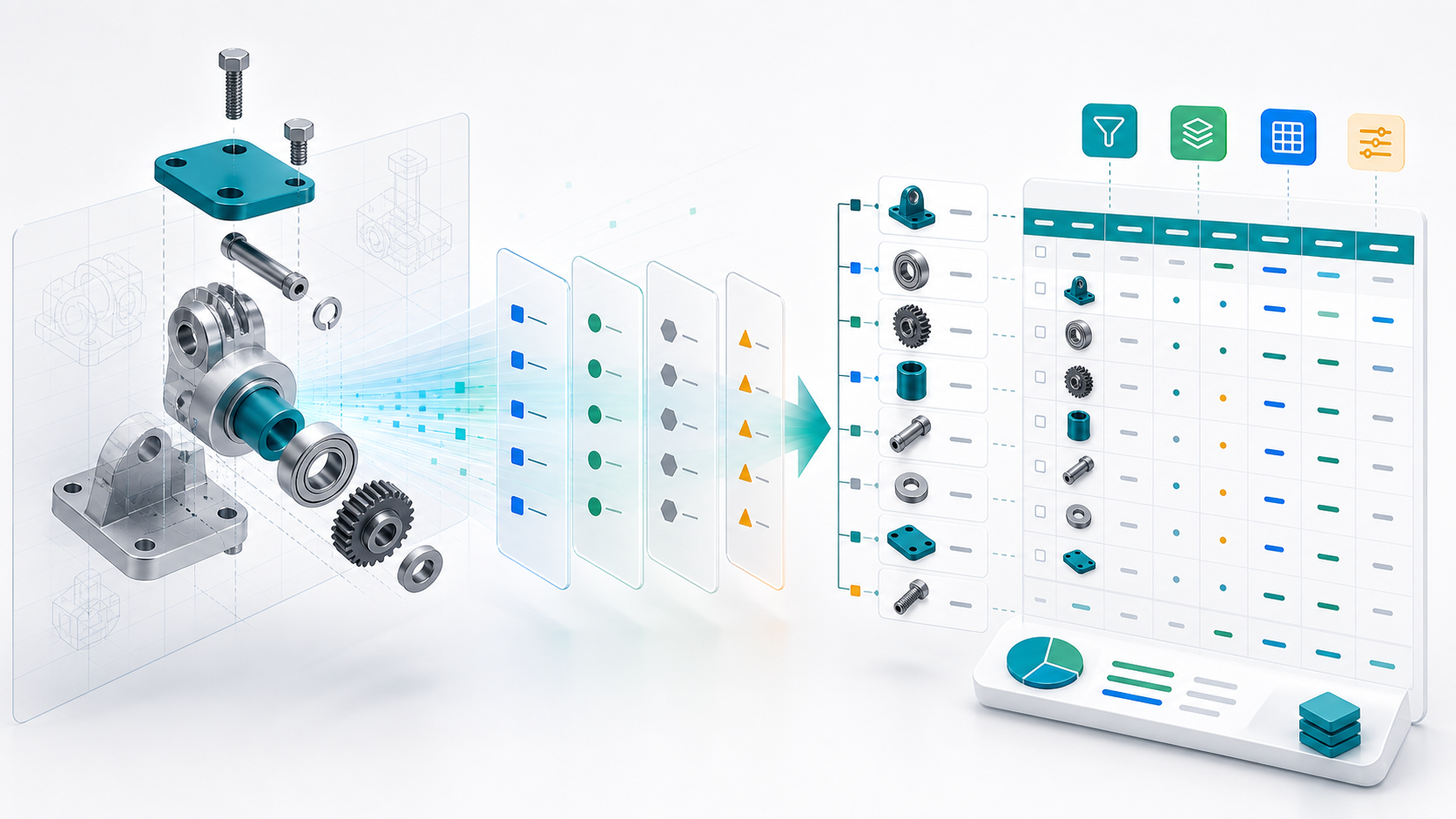
Built for repeated handoff work
VisuBOM keeps the BOM workflow close to the engineering source of truth. It reads the active Onshape assembly, shows the structure with thumbnails and rollups, then prepares exports and metadata updates for downstream work.
Assembly overview
The main workspace combines a dense BOM table with selected-part details, thumbnail previews, repeated-part context, and rollups. Engineers can verify what changed while purchasing gets cleaner quantities and totals.
Browse a tree-preserving table with thumbnails, quantities, descriptions, materials, mass, volume, and revisions.
Group repeated parts, calculate totals, and export XLSX or CSV files for purchasing and documentation.
Sync computed material, mass, and volume values back to editable Onshape part properties.
Product screens
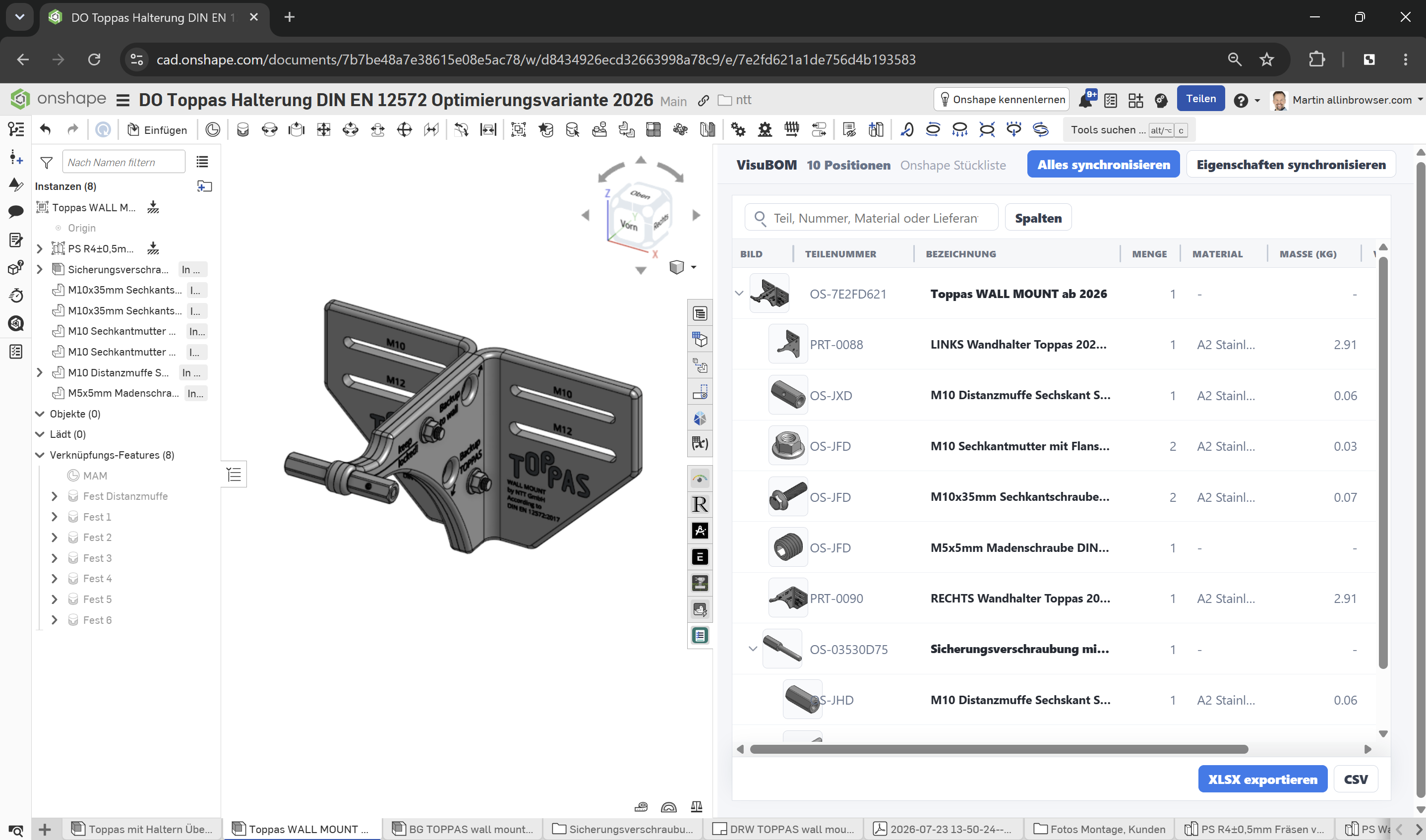
Review the live model while VisuBOM keeps the visual parts list in view.
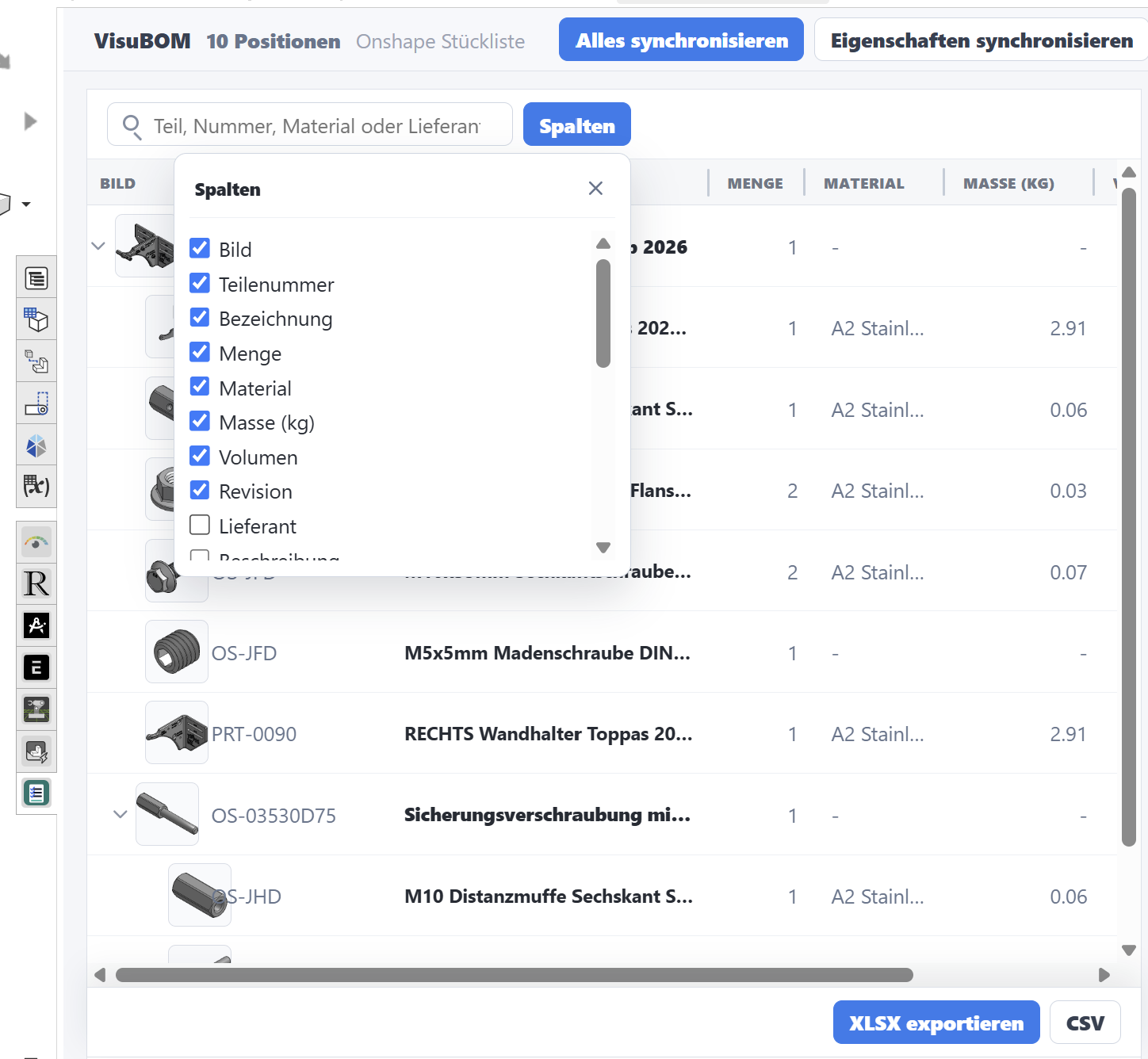
Choose image, part number, description, material, mass, supplier, and more.
Export assembly context, source links, thumbnails, materials, mass, and supplier data.
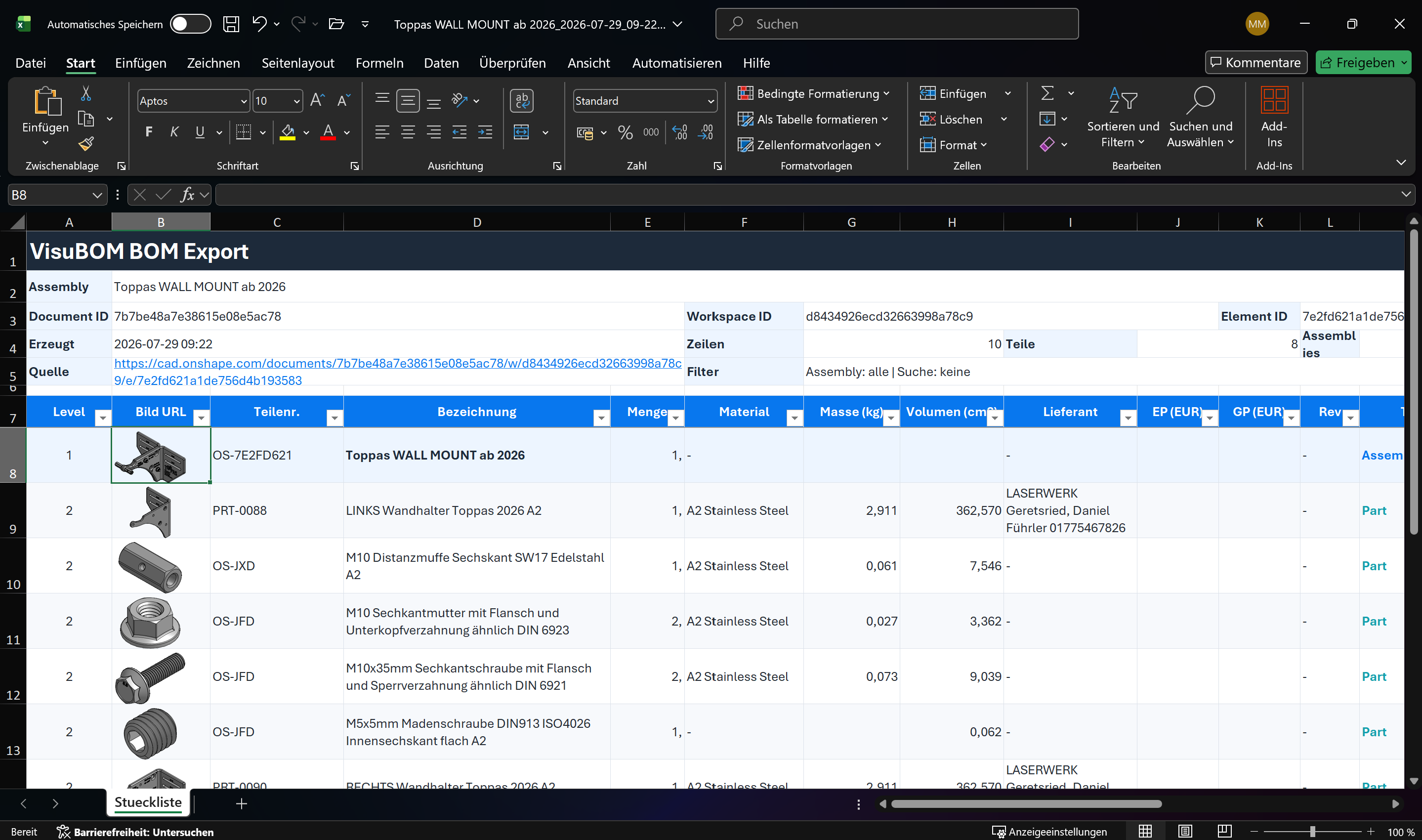
Nested levels and part images make the exported list easy to review and hand off.
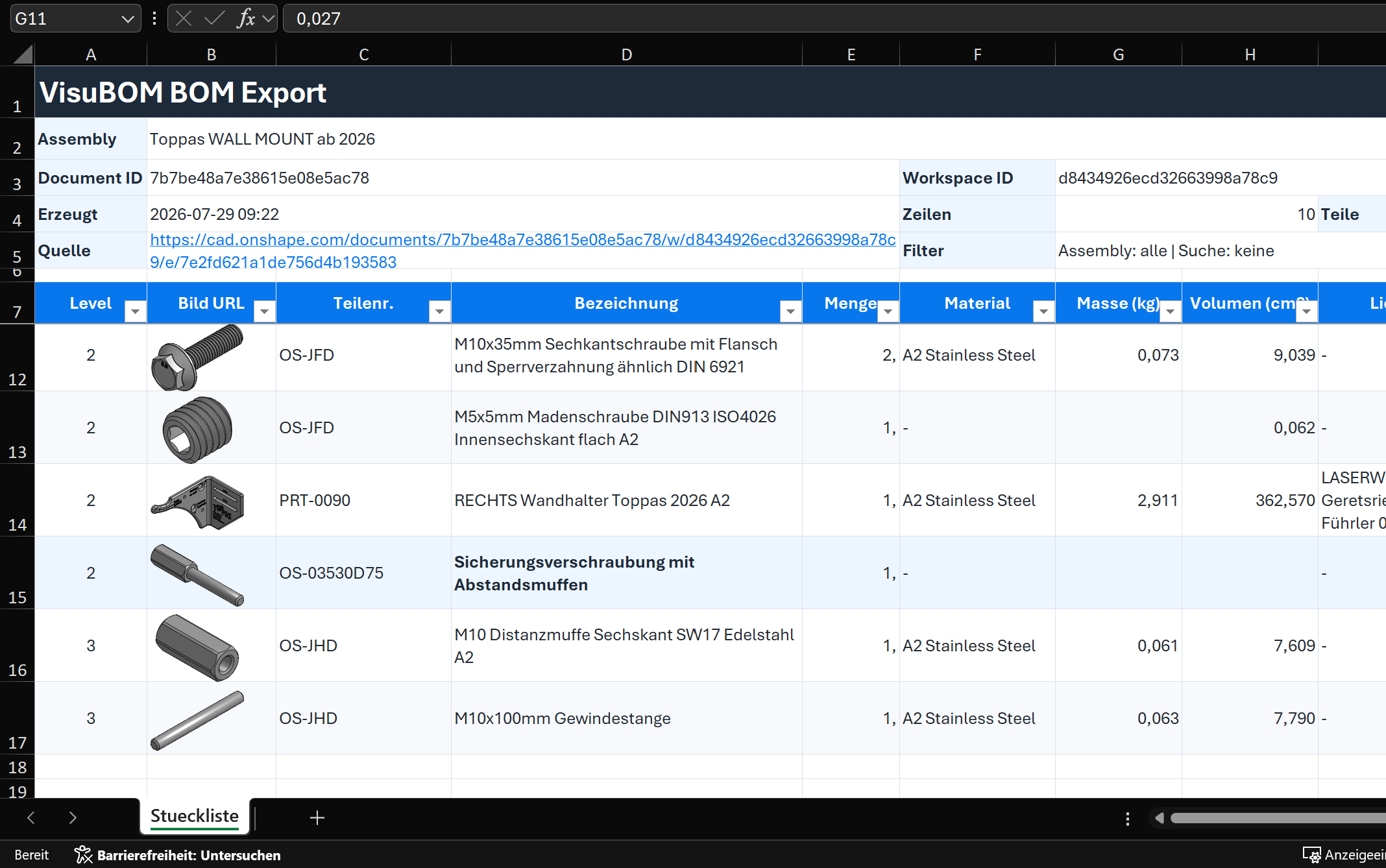
Purchasing-ready output
VisuBOM generates structured spreadsheets with grouped quantities and calculated totals, so the first file handed to purchasing or documentation is already aligned with the reviewed assembly.
Services
We develop custom Onshape apps, integrations, automations, and browser-based product workflows around your CAD, PDM, CAE, and ERP processes.
Workflow-specific tools inside and around Onshape, from BOM extensions to guided engineering processes.
Connections between Onshape data and business systems for quoting, purchasing, reporting, and release work.
Automated checks, data cleanup, spreadsheet generation, and AI-supported workflows for repetitive engineering tasks.
Browser-based configurators and 3D experiences that turn product rules into usable customer and sales tools.
Validate BOM structure, thumbnails, revisions, material, mass, and volume near the source model.
Receive grouped quantities, supplier data, pricing columns, and export files without manual cleanup.
Use the same reviewed assembly data for release packages, build lists, and change records.
About us

Engineering & Automation
Software and AI developer, freelancer, and Dipl.-Ing. focused on digital product workflows, automation, and browser-based engineering tools.
confbuild.com
Engineering & Automation
Onshape specialist at allinbrowser.com focused on CAD automation, digitalization, and browser-based CAD, PDM, CAE, and ERP workflows.
Start with an Onshape assembly or a custom workflow idea